Join over 20.000 users. Try it free for 10 days

CONTROL YOUR BUSINESS

Control your business with real-time information

Monitor income, payments, expenses and your team's activity from a single platform. It's not just about control, it's about deciding better.

  • ✓Dashboard with income, expenses, outstanding payments and sales pipeline
  • ✓Your team's clock-ins, absences and work reports, in real time
  • ✓Support tickets with status and response times
From €12 /month
✓ 10-day trial ✓ No credit card required ✓ Support in Spanish
Automatic wiwink notifications: quote sent, contract signed, payment received, absence approved and newsletter sent, with clock-in and marketing campaigns

How does wiwink help you control your business?

CRM, Schedule control, Works and Support tickets connected in a single dashboard, so you stop deciding on gut feeling.

Your whole business at a glance

Income, expenses and outstanding payments in a visual dashboard, updated in real time.

Keep track of outstanding payments

Automatic alerts for unpaid invoices and due dates, before they become a problem.

Know what your team is doing, without asking

Clock-ins, absences and hours worked, available instantly.

Fieldwork under control

Status of every work report and technician, without having to call anyone.

No issue slips through the cracks

Support tickets with status tracking and response times.

Decisions based on data, not gut feeling

Everything connected in a single dashboard, with no loose Excel sheets.

Key features to control your business

The CRM + Business Management foundation, with the business dashboard included, combined with Schedule control, Works and Support tickets.

CRM + Business Management · base Schedule Control · from €12/month Works · from €12/month Loyalty · from €10/month

Your whole business at a glance

CRM and Business dashboard

Check income, expenses, outstanding payments and the sales pipeline in a single dashboard.
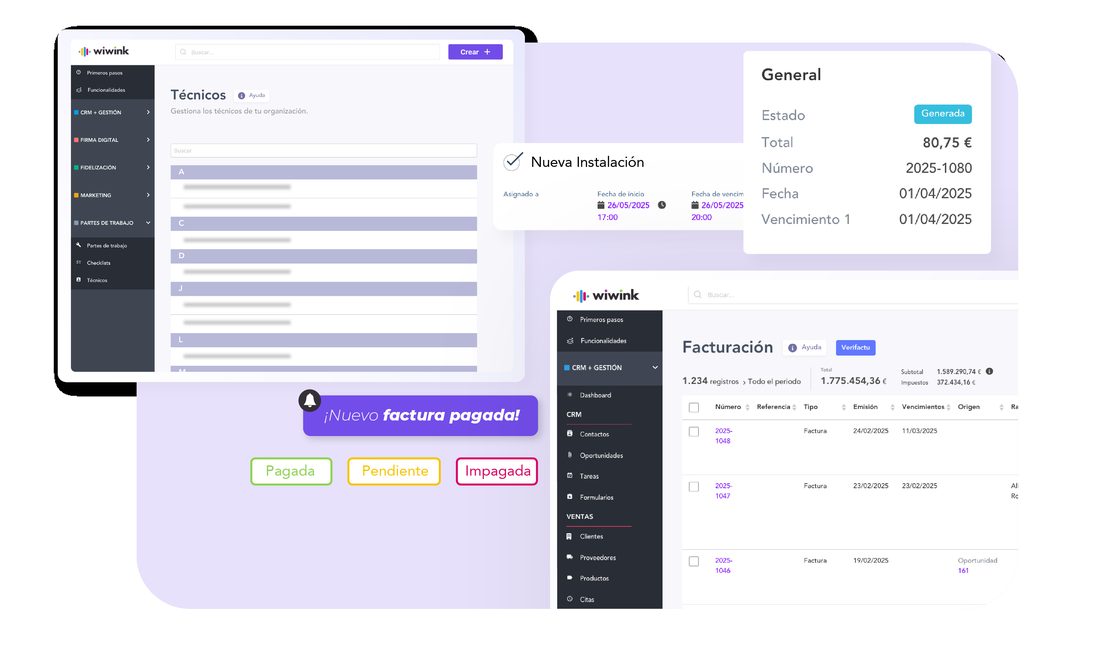
  • Dashboard with key indicators: income, expenses, profit and outstanding payments
  • Visual pipeline of opportunities by stage
  • Filters by client, user or period
  • Alerts for unpaid invoices and due dates
See CRM + Business Management features →
wiwink management dashboard: technicians, Verifactu invoicing and paid invoice notifications

Know what your team is doing, without asking +€12/month

Schedule Control

Check clock-ins, absences and hours worked for your whole team in real time.
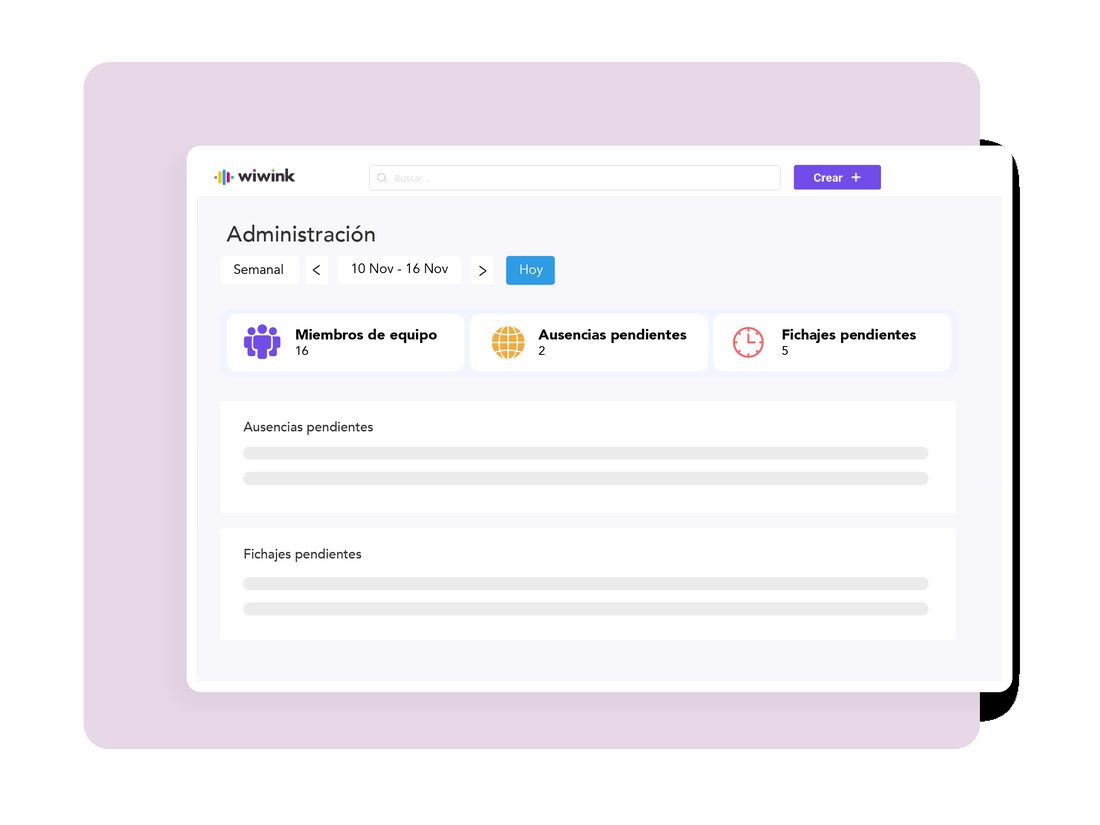
  • Clock in, clock out and log breaks from your mobile
  • Absence, holiday and sick leave management
  • Clock-in approval by the manager
  • Activity histories that can be viewed by user
See Schedule Control features →
wiwink admin dashboard: team members, pending absences and pending clock-ins

Fieldwork under control +€12/month

Work Reports

Check the status of every work report, technician and job in progress, without calling anyone.
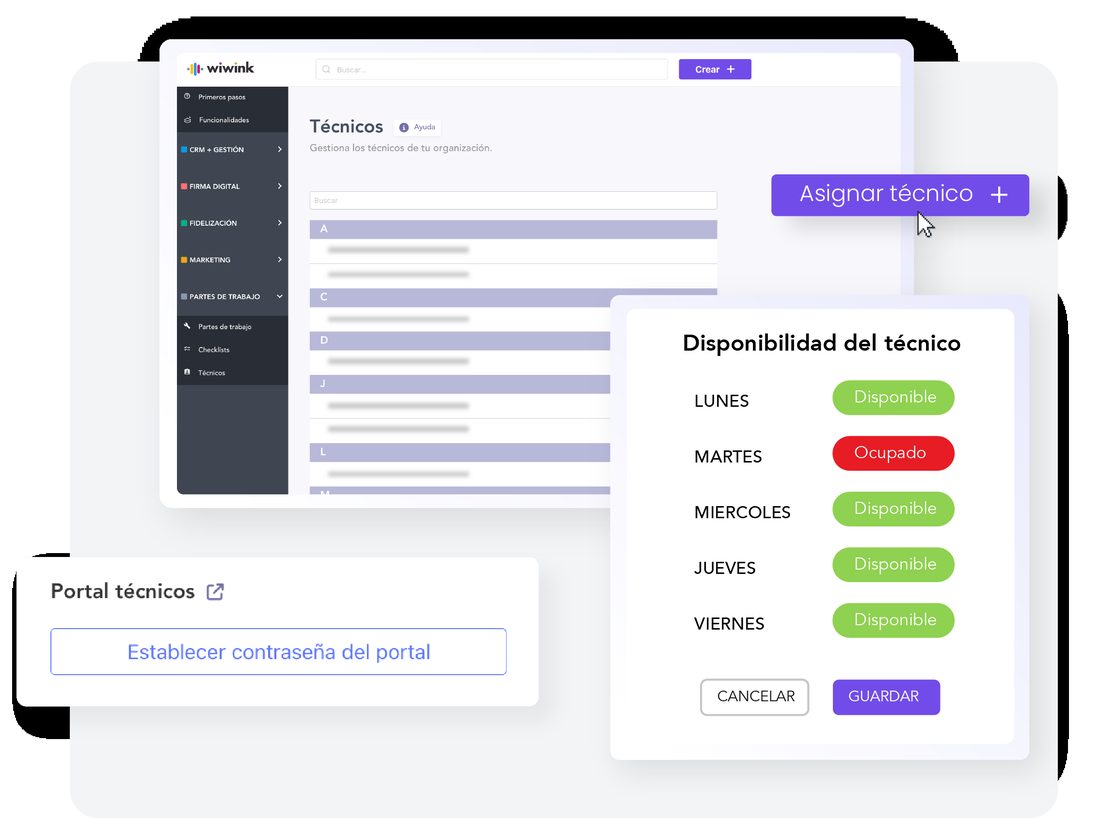
  • Create work reports from the CRM or from a sales opportunity
  • Assign technicians according to their availability
  • Checklist, photos, comments and materials per work report
  • Technician portal with real-time updates from mobile
See Works features →
Technician management in wiwink: assignment and weekly availability per technician

No issue slips through the cracks +€10/month

Support tickets

Monitor the status of every issue and your customer service team's response time.
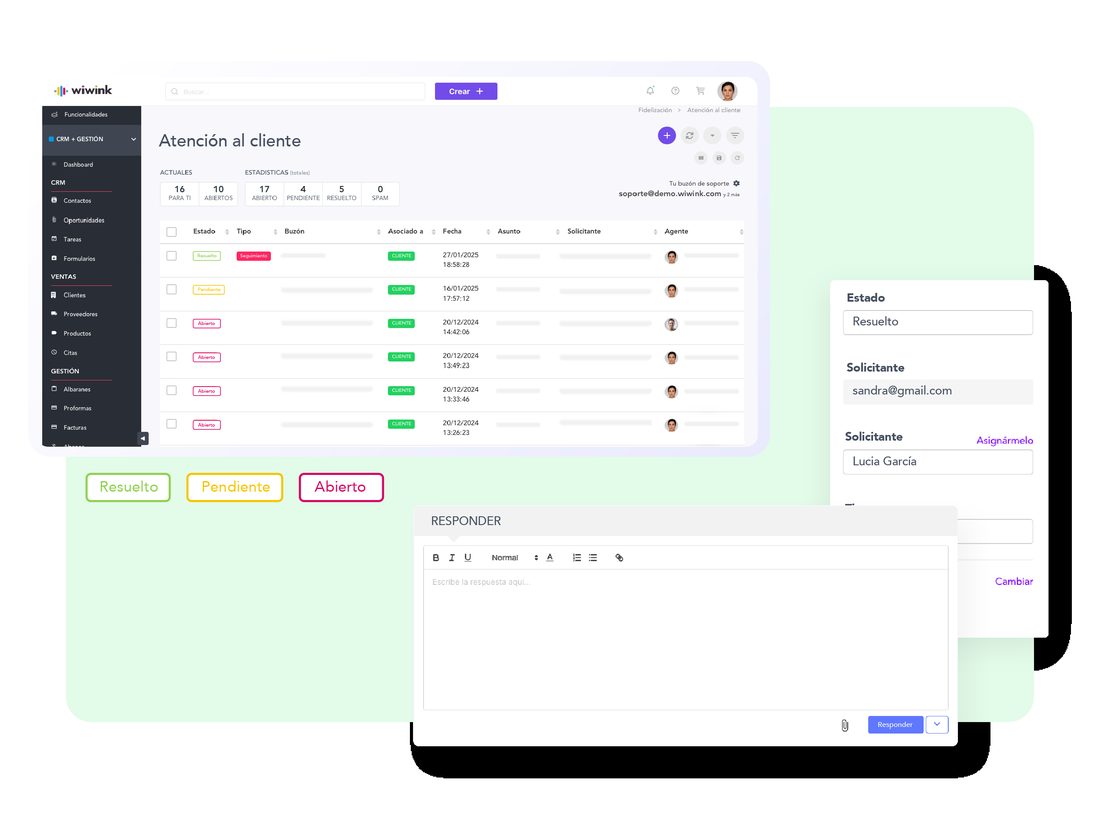
  • Smart mailboxes for tickets
  • Automatic assignment by department or user
  • Tracking with filters and statuses
  • Automatic customer notifications when the status changes
See Support tickets features →
Customer service in wiwink: list of tickets with status, support inbox and reply

Your whole business connected, at every step.

⚡Adapt the workflow to your sector
CRM + Business Management Works Automations Schedule Control Support tickets Business dashboard
1Opportunity created
2Work report assigned
3Automate the next step
4Clock-in recorded
5Support ticket opened
6Everything visible in the business dashboard

Without wiwink vs. with wiwink

Without wiwink 😕
With wiwink 🙂
✕Data in Excel, scattered and out of date
✓Visual dashboard with real-time data
✕Not knowing which clients have paid or how much you owe
✓Full control of invoicing and cash flow
✕Hard to know what your team is working on
✓Clock-ins, work reports and tasks visible by user
✕Issues with no follow-up or clear owner
✓Tickets with visible status and response times
✕Decisions based on gut feeling
✓Decisions based on data

Start controlling your business today

📅
Book a demo
We show you how to set up the business dashboard and key indicators for your team.
Book a demo →
⚙️
Initial setup
We help you get your dashboard, schedule control and work reports ready from day one.
Talk to the team →
📚
Resources
Guides and articles to get the most out of every module.
Go to the help centre →

Connect with your favourite tools

The wiwink core and every module integrate with the tools your business already uses — without relying on external integrations to work.

Stripe PayPal Zoom Google Calendar Google Meet Google Contacts Microsoft Teams Calendly WooCommerce WordPress Zapier

Everything you can achieve with wiwink

Every benefit comes from combining the wiwink core with the modules you choose, so it fits your business model.

Win clients
Track sales, assign tasks, send quotes and sign digital contracts, all from the wiwink CRM.
Find out more →
Save time
Automate repetitive tasks, avoid duplicating data and enable online payment with a single click from your invoices.
Find out more →
Centralise your information
From the client record, access quotes, invoices, signed documents, purchased products and more, all in one place.
Find out more →
Build client loyalty
Segment your database and send campaigns or surveys, or manage issues without leaving wiwink.
Find out more →
Stay in control of your business
Check income, expenses, pending payments and best-selling products, and manage your team with real-time data.
Find out more →
Stay compliant
Generate FacturaE, comply with Verifactu, send GDPR-compliant campaigns and sign documents with legal traceability.
Find out more →

Frequently asked questions

We answer the most common questions about controlling your business with wiwink.

Is the dashboard data updated in real time?
Yes, the wiwink dashboard shows income, expenses, profit and outstanding payments updated in real time, with filters by client, user or period.
Can I see what my team is doing at any moment?
Yes, with Schedule control you check each person's clock-ins, absences and hours worked, and with Works you see the status of every work report and technician in real time.
How do I keep track of my clients' issues?
The Support tickets module lets you see all open issues, their status, who they are assigned to and the response time, all from a single dashboard.
Do I get alerts if a client hasn't paid?
Yes, wiwink generates automatic alerts for unpaid invoices and due dates so you never miss an outstanding payment.
Do I need a credit card to try wiwink?
No, we offer a free 10-day trial with no credit card required.

Ready to control your business with wiwink?

No credit card, no commitment. Find out how wiwink can give you full visibility of your business from today.