✓ 10-day trial✓ No credit card required✓ Support in Spanish
Never lose track of a purchase
The whole relationship in one record.
Purchase orders, expenses, invoices, contacts and documents, all together.
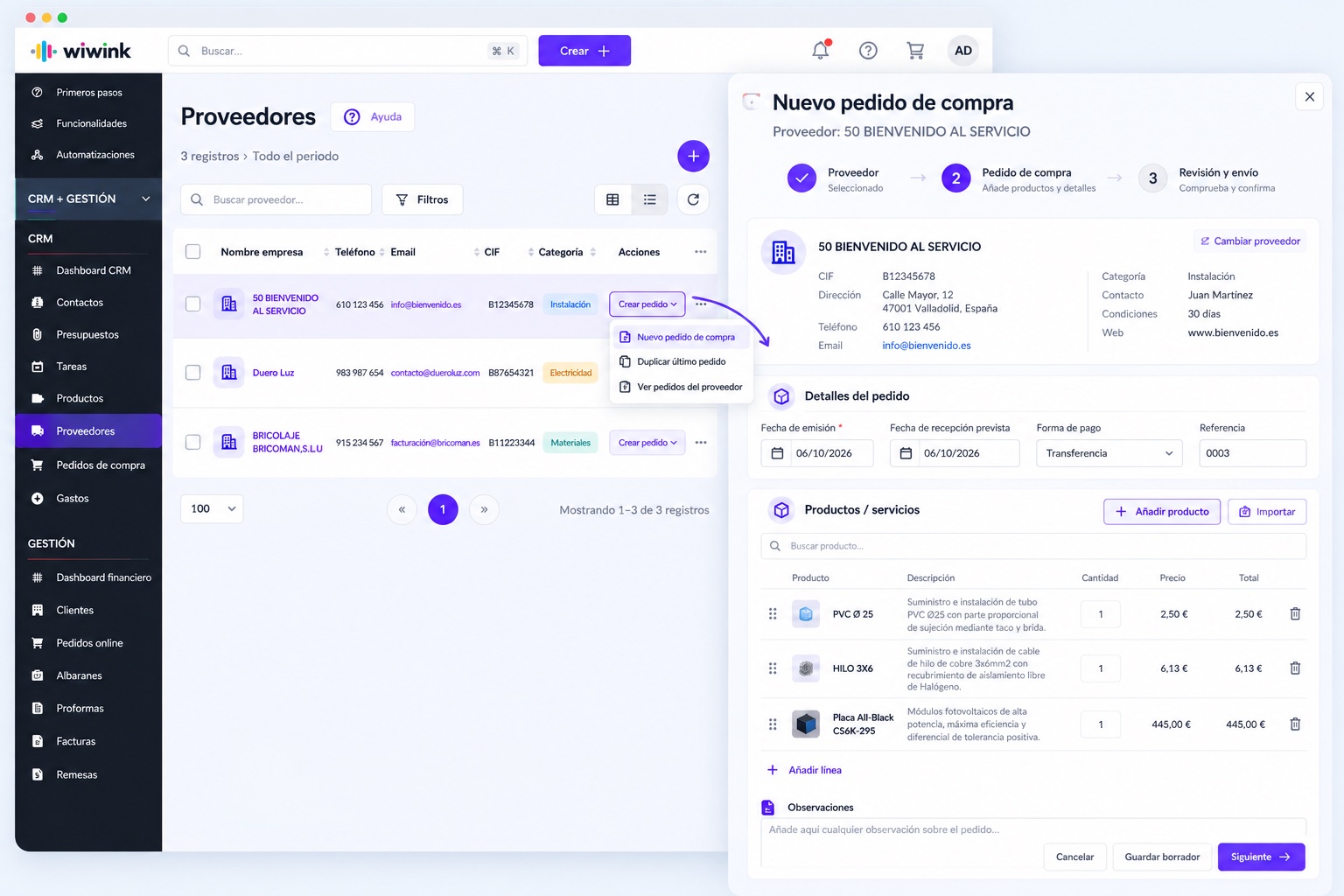
Your orders, always easy to find.
View sent orders, amounts, receipt dates and status from each supplier.
Control what you buy and from whom.
View the purchase history and the products or services bought from each supplier.
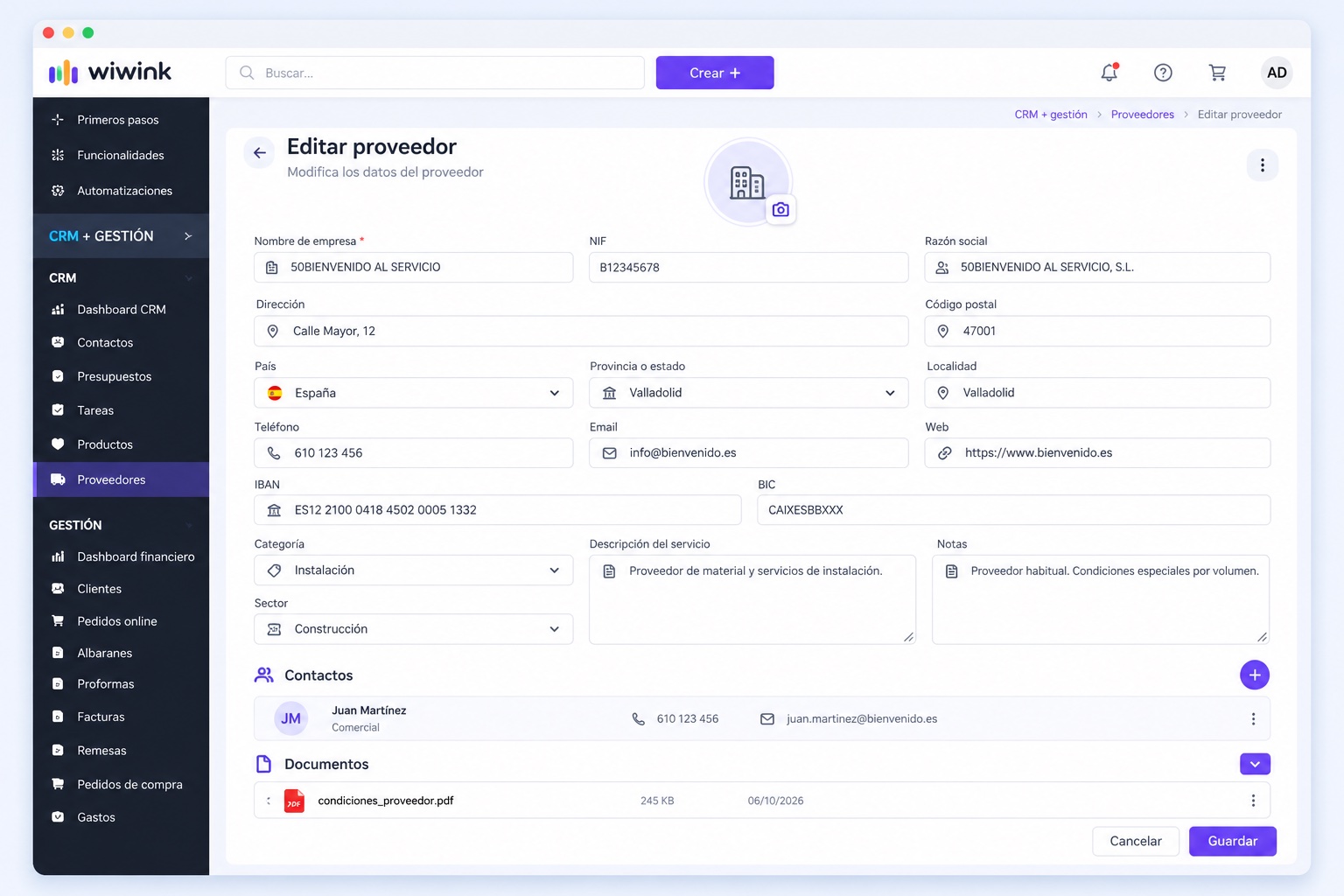
All their information organised.
Tax details, contacts, bank information, documents and notes always linked to the supplier.
Supplier management, all in one place
Supplier management is part of the CRM + Business Management module, included in every wiwink plan at no extra cost.
Supplier management
Included in CRM + Business Management
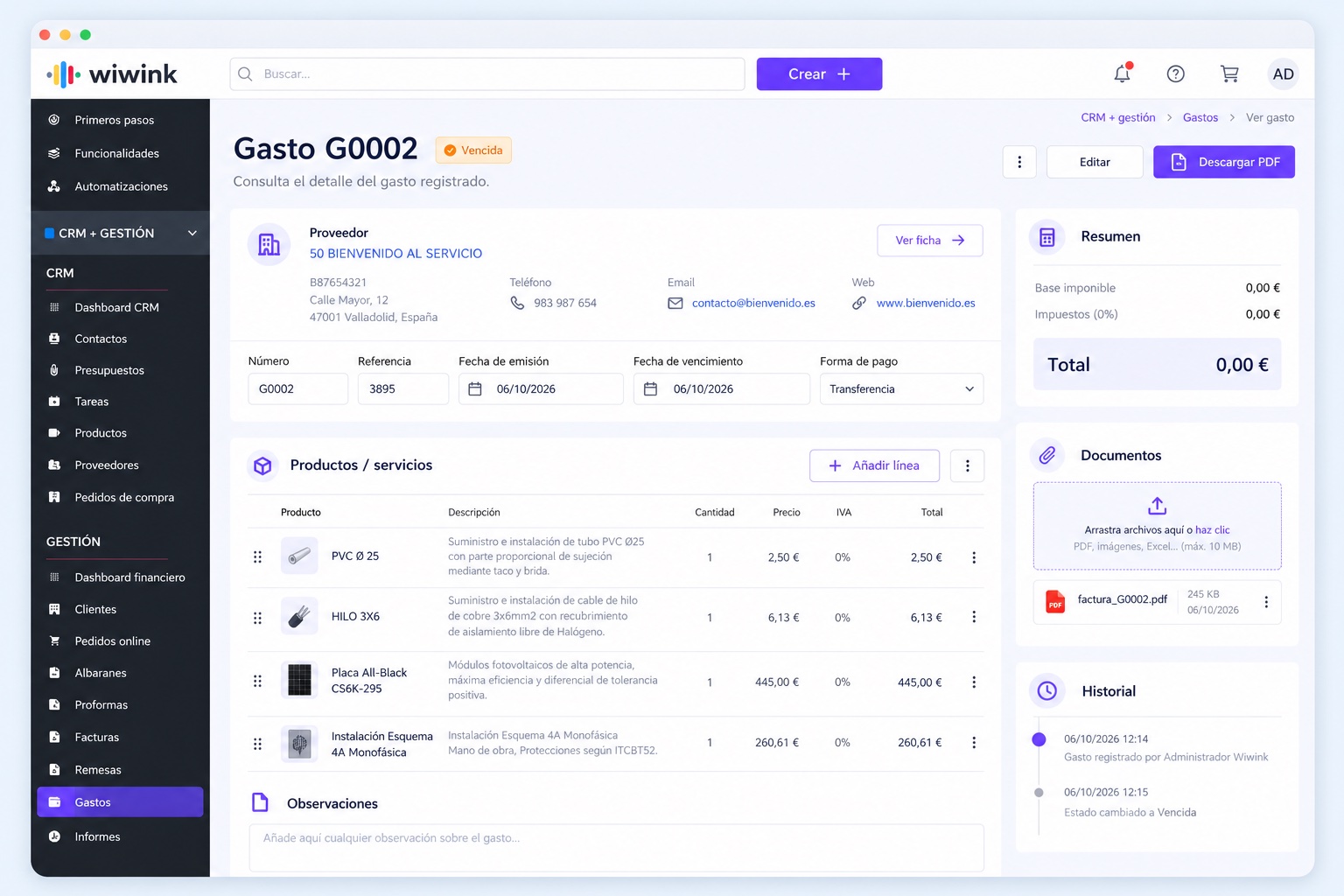
Each supplier has a single record with their details, purchase orders, expenses, invoices, contacts and documents, so your entire purchasing relationship stays organised.
Includes
No extra cost on top of your CRM + Business ManagementNothing to installUp and running from day one
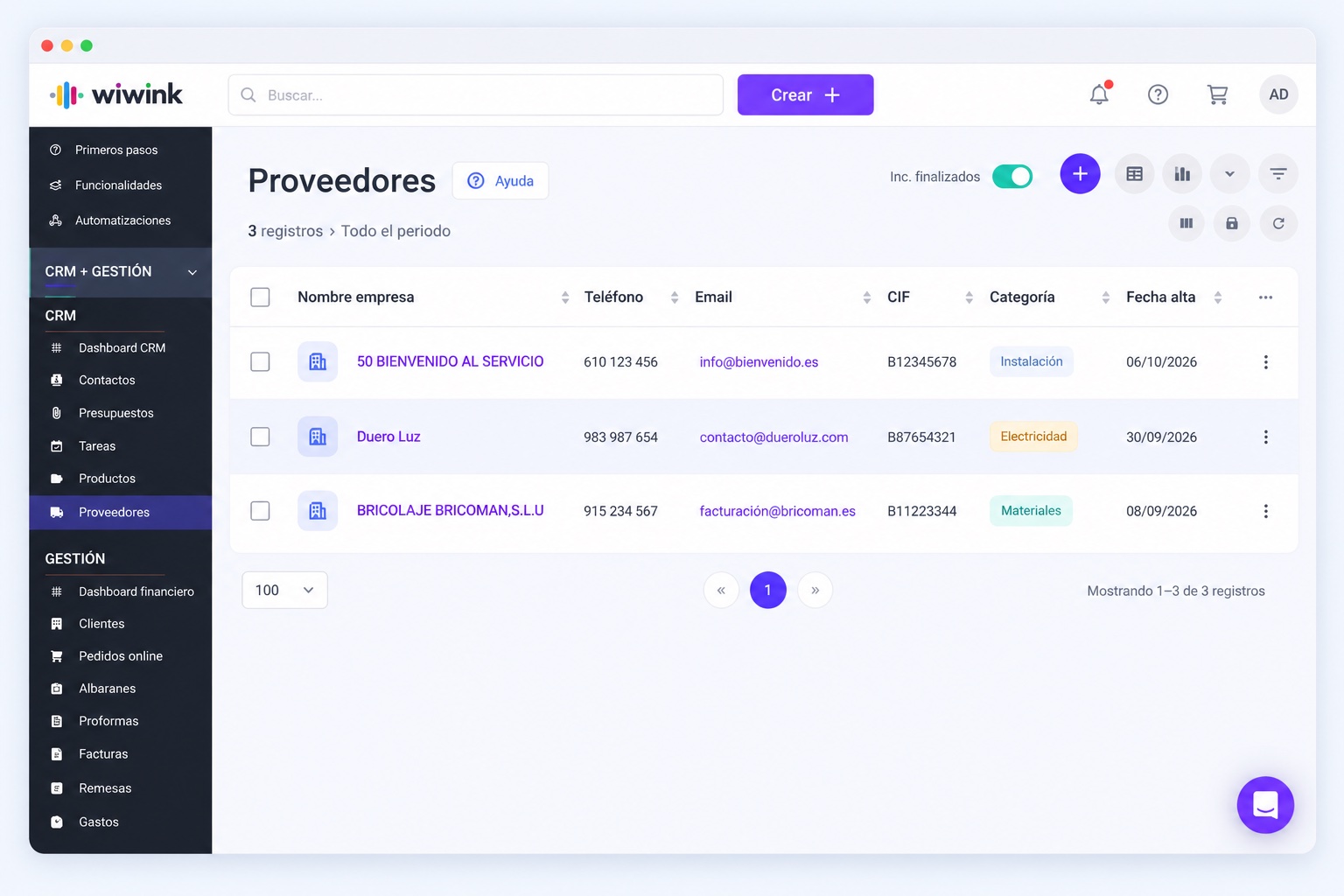
Supplier creation
All your suppliers, organised from day one
Create suppliers with their business, tax and bank details and keep all their information centralised.
Tax details, address and contact details
IBAN, BIC and payment information
Categories and sectors to organise your suppliers
Several contacts linked to the same supplier
Documents and notes linked to their record
Supplier management
All the information on each supplier, at a glance
View purchase orders, expenses, invoices and documents without switching screens.
Purchase order history with amounts, dates and status
Expenses and invoices linked to the supplier
Products and services bought from each supplier
Contacts, notes and documents from their record
History of your relationship with the supplier
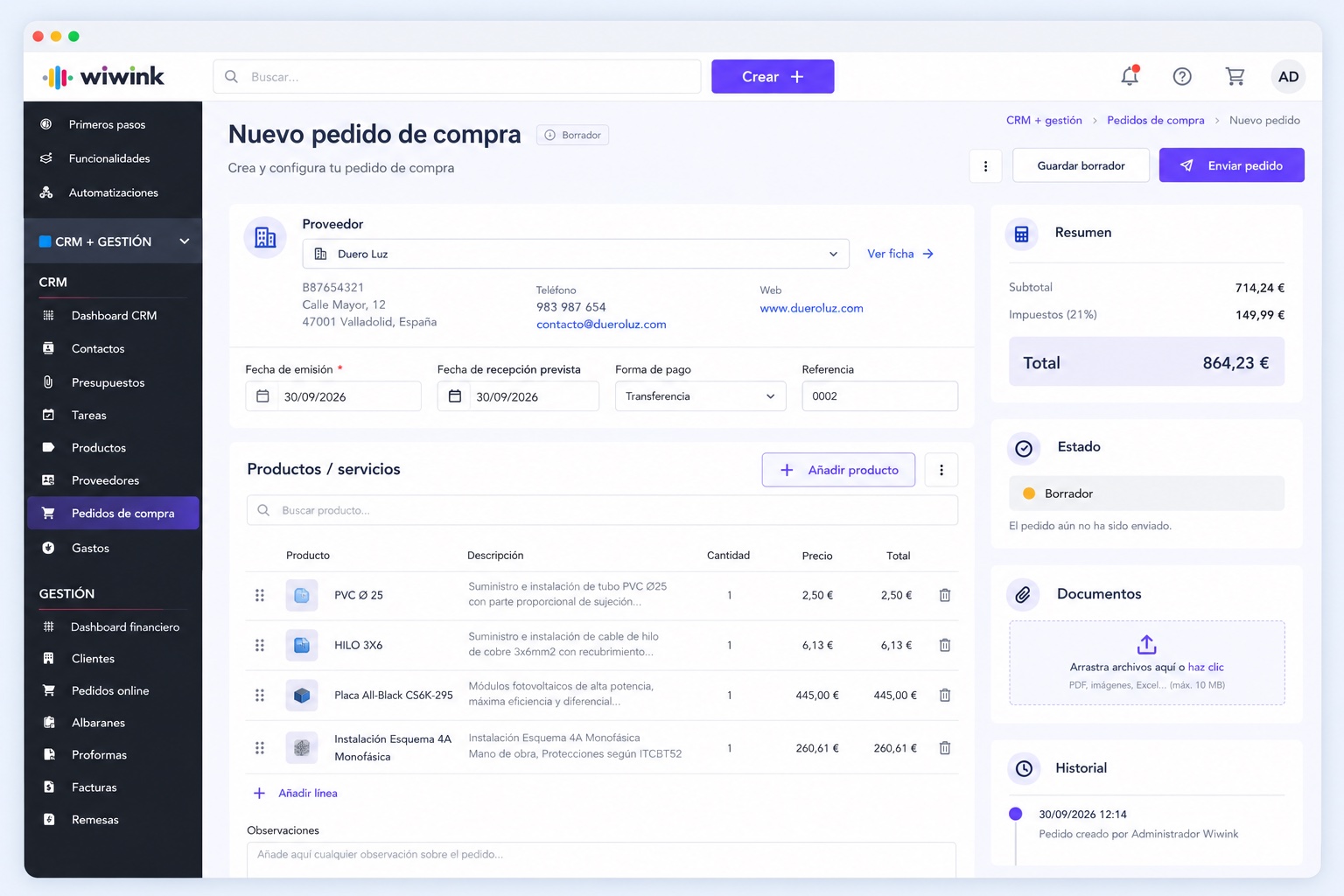
Purchase orders
Create, send and track your supplier orders
Prepare purchase orders with your products or services, send them to the supplier and check their status in wiwink.
We answer the most common questions about supplier management in wiwink.
What is supplier management in wiwink?
It is the feature that lets you create, organise and centralise all the information on each supplier within the CRM + Business Management module, including their purchase orders, expenses and invoices.
How are suppliers created in wiwink?
You can create a supplier manually with their business, tax and bank details, or import them in bulk from Excel without duplicates.
How does wiwink help centralise the information on each supplier?
Each supplier has a single record with all their details: purchase orders, expenses, invoices, contacts and documents.
Can I manage purchase orders to suppliers from wiwink?
Yes. You can create, send and track purchase orders with your products or services, and check their status and amounts at any time.
Can expenses and invoices be linked to a supplier?
Yes. From each supplier you can access the linked expenses and invoices, as well as the full purchase history.
Is the supplier feature included in every wiwink plan?
Yes. Supplier management is included in the CRM + Business Management module, available to all users from the start at no extra cost.
What details can I store for each supplier?
Tax details, address, contacts, IBAN, BIC and payment information, plus documents and notes linked to their record.
Can I import my current supplier database into wiwink?
Yes. You can import suppliers from Excel. wiwink organises the information automatically and avoids duplicates.
What kind of businesses benefit most from wiwink supplier management?
Businesses that buy from suppliers regularly: installers, shops, service companies and SMEs that need to control their purchases and expenses.
Your clients and suppliers, connected to your business management
There is no need to manage clients in one place and suppliers in another. With wiwink you centralise who you sell to, who you buy from and the documents and transactions related to each one.
CRM, clients, suppliers, quotes, invoices, expenses and purchase orders on a single platform.