✓ 10-day trial✓ No credit card required✓ Support in Spanish
Make sure no client goes without follow-up
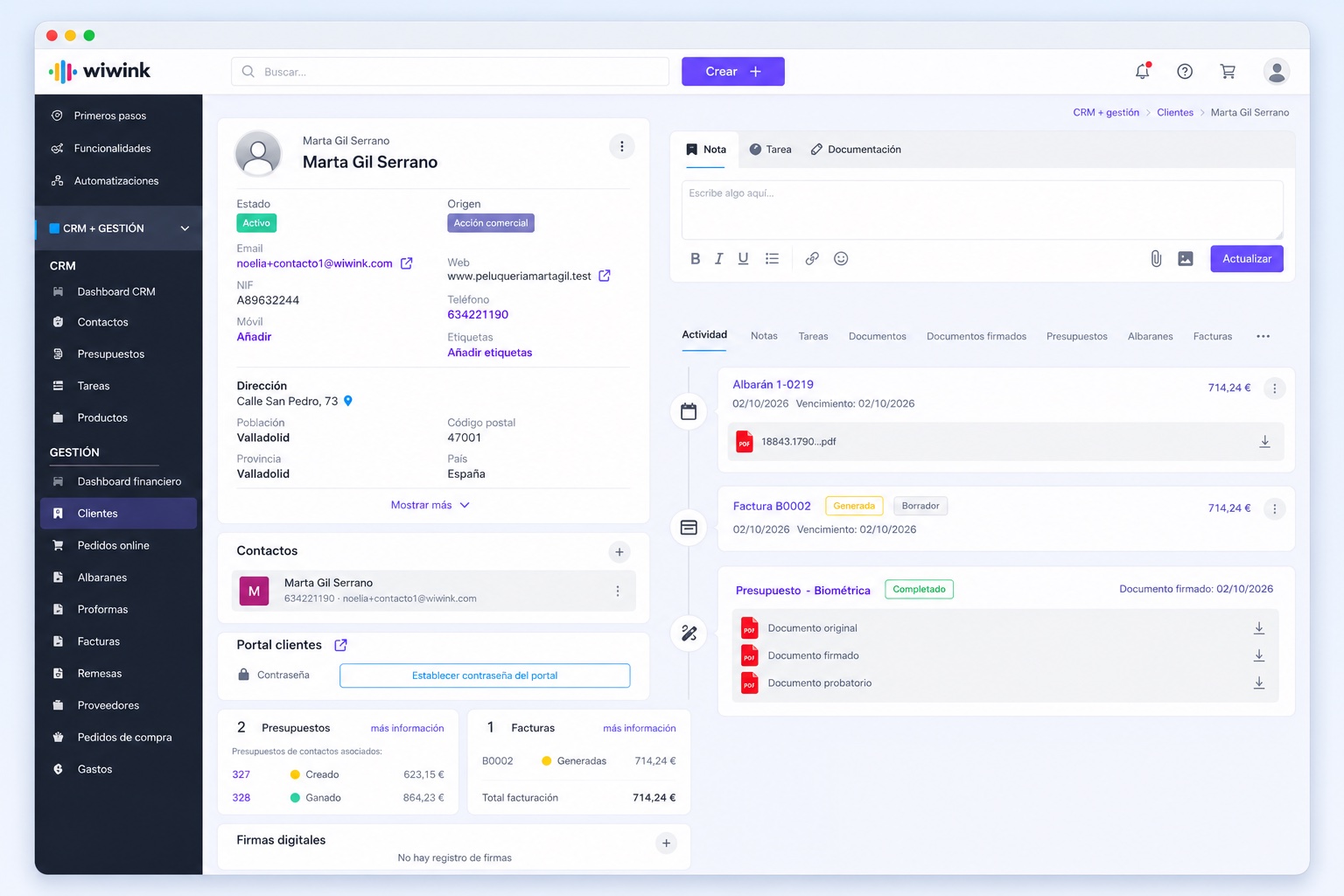
The whole relationship in one record.
Quotes, invoices, tasks and signed documents, all together.
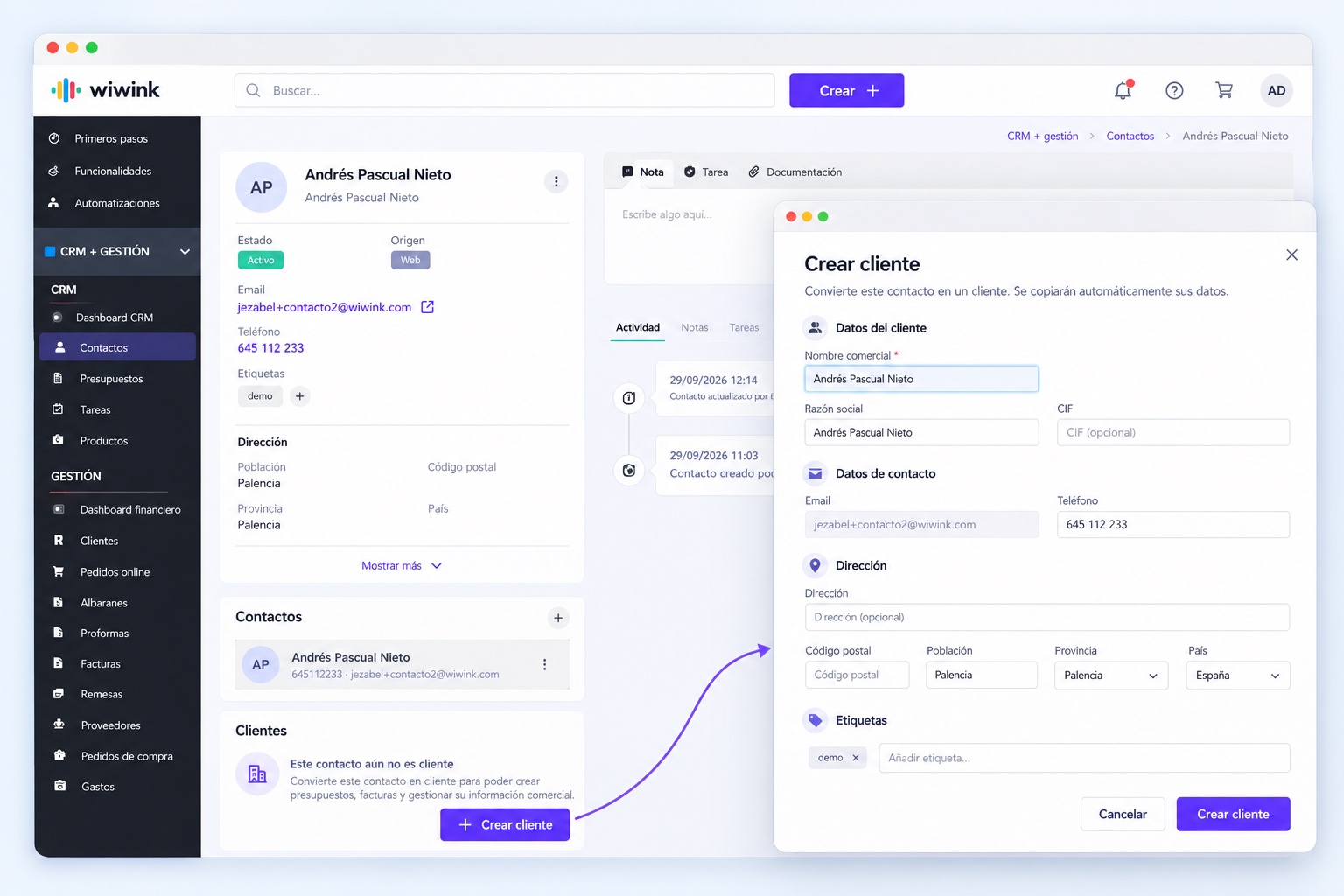
From contact to client, without lifting a finger.
They convert automatically when a quote is accepted.
No client goes cold.
Alerts for inactive clients so you can get back in touch in time.
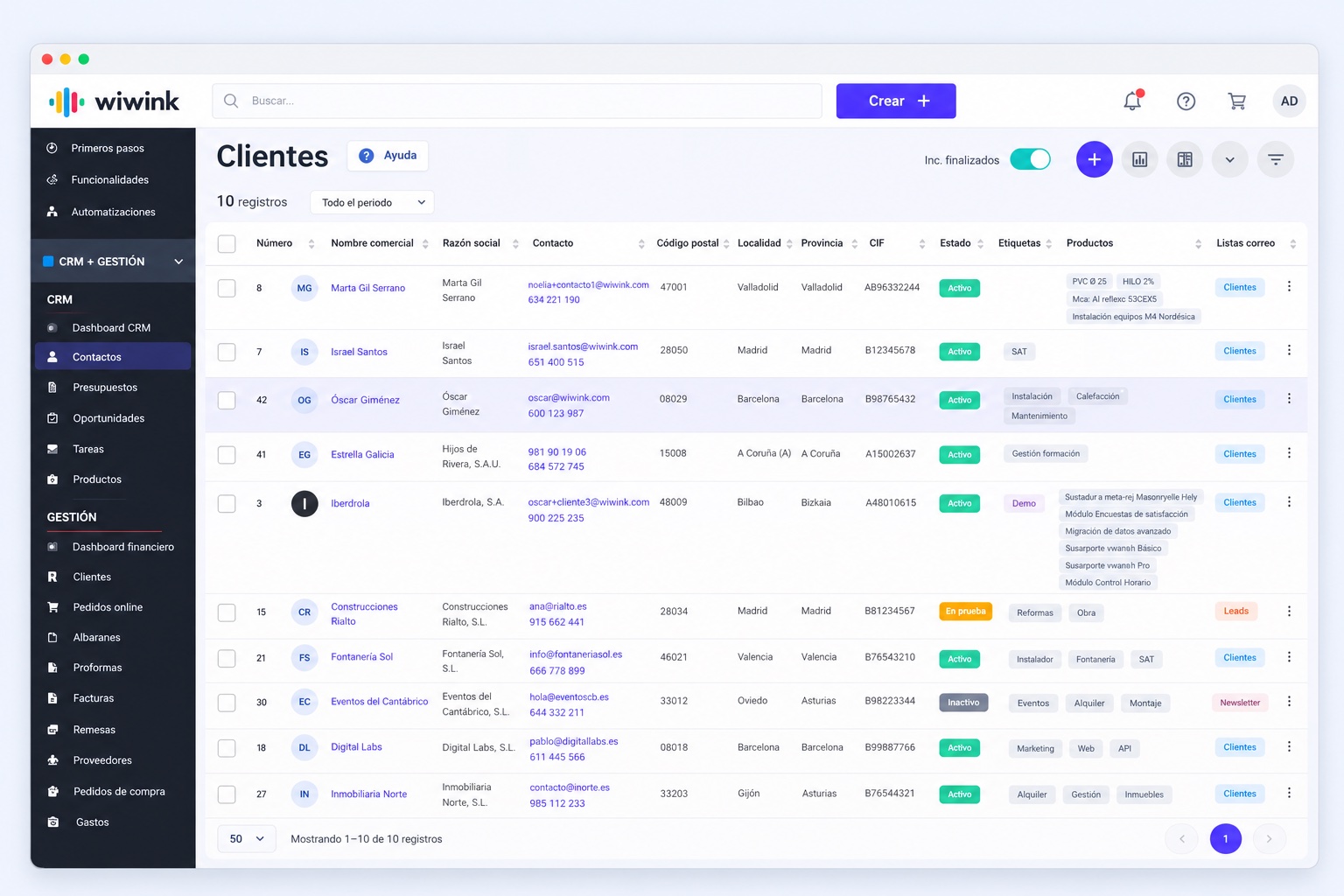
Import without duplicates.
Upload your client base from Excel and wiwink avoids duplicates.
Client management, all in one place
Client management is part of the CRM + Business Management module, included in all wiwink plans at no extra cost.
Client management
Included in CRM + Business Management
Every client has a single record with accepted quotes, invoices, tasks, contracts and communications, so you never lose sight of the business relationship.
Includes
No extra cost on top of your CRM + Business ManagementNothing to installUp and running from day one
Client creation
From contact to client, with no manual work
Create clients from Contacts or automatically when you win an opportunity, whichever you prefer.
Create clients from Contacts or when you win an opportunity
We answer the most common questions about client management in wiwink.
What is a CRM with client management?
A CRM is client management software. It is the core feature of any CRM. wiwink lets you create, organise and centralise all the information on each client within the CRM + Business Management module, improving the relationship and sales follow-up.
How are clients created in wiwink?
A contact automatically becomes a client when they accept a quote. You can also create one manually, import them from Excel or set up an automation with Zapier.
How does wiwink help centralise each client's information?
Every client has a single record with all their details: accepted quotes, invoices, tasks, contracts and communications.
How are clients managed within wiwink?
You can assign tasks, schedule appointments, check their history and monitor the status of the relationship in real time.
How does wiwink help prevent losing clients?
It generates alerts and reminders so no client goes without follow-up. It also shows which clients have been inactive for a while so you can get back in touch.
Is the clients feature included in all wiwink plans?
Yes. Client management is included in the CRM + Business Management module, available to all users from the start at no extra cost.
Can a client's record be linked to quotes, invoices and documents?
Yes. From each client you can access accepted quotes, issued invoices, work reports, documents and digitally signed contracts.
How does wiwink protect client data under the GDPR?
It complies with the GDPR and Spanish regulations. Data is stored on European servers with access control.
Can I import my current client base into wiwink?
Yes. You can import clients from Excel. The CRM organises the information automatically and avoids duplicates.
What kinds of companies benefit most from a CRM with client management?
Businesses where loyalty is key: advisory firms, gyms, clinics, retail shops and SMEs looking to retain clients in the long term.
Start centralising your clients today
No card, no commitment: try wiwink free for 10 days.