CRM + Business Management
Your purchase orders, always under control
Create, send and track every order to your suppliers from the same CRM, with no spreadsheets or loose files.
✓ Supplier orders created and sent in seconds✓ The status of every order always visible: pending, sent or received✓ Products, quantities and prices organised by supplier✓ Orders you can convert to an expense in one click
From
€12
/month
✓ 10-day trial ✓ No credit card required ✓ Support in Spanish
No stray or lost orders
Orders created in seconds.
Generate and manage supplier orders easily, without leaving the CRM.
Status always in view.
See where each order stands: pending, received or invoiced.
Everything in one place.
Products, quantities and suppliers organised, with no separate spreadsheets.
From order to expense, connected.
Convert any order to an expense whenever you need, without re-entering the data.
Purchase orders, all in one place
Purchase order management is part of the CRM + Business Management module, included in all wiwink plans at no extra cost.
Purchase orders
Included in CRM + Business Management
Create supplier orders, track their status and convert them to expenses whenever you need, all from the same record.
Includes
No extra cost on top of your CRM + Business Management
Nothing to install
Up and running from day one
Order creation
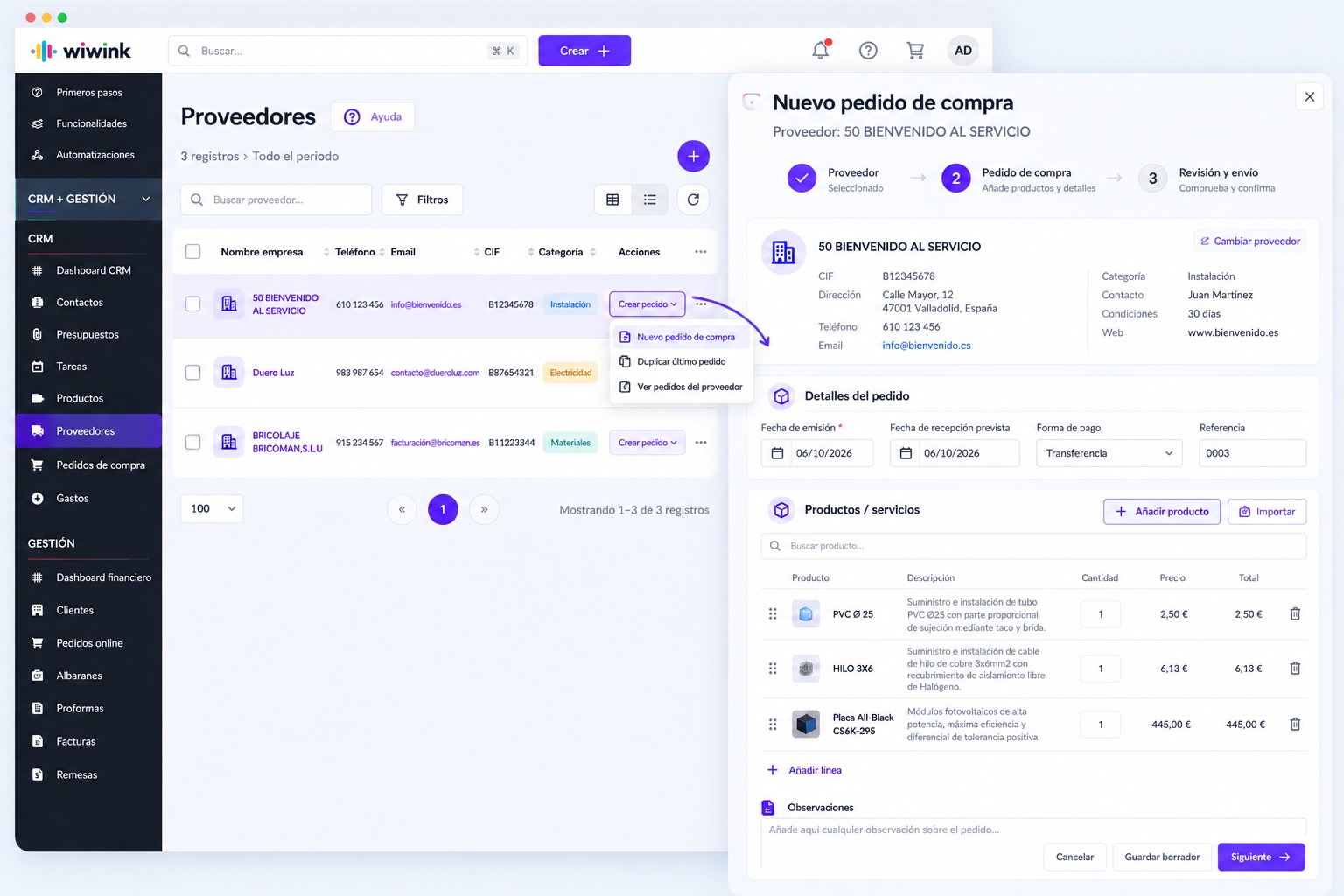
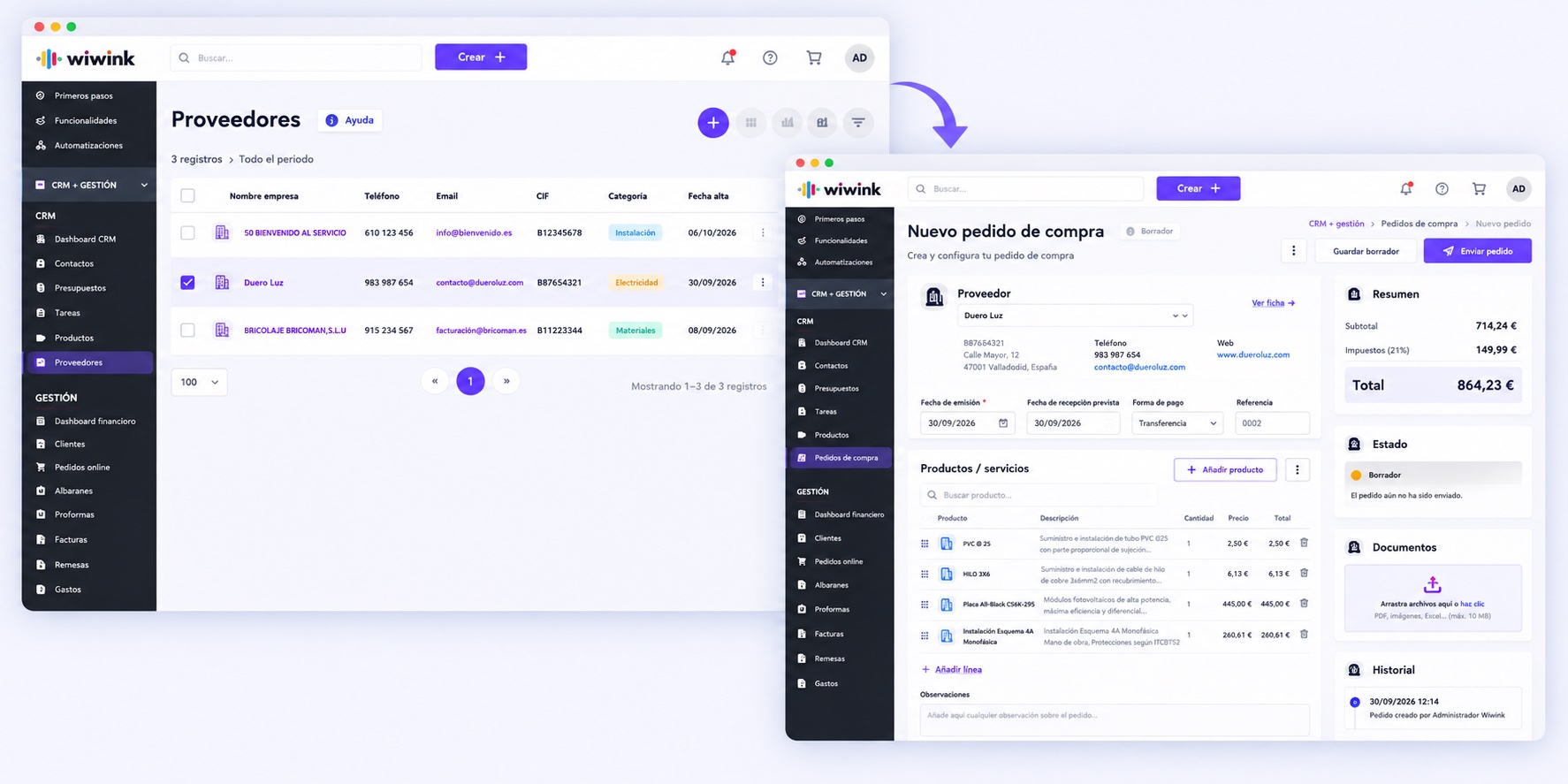
Create purchase orders in seconds
Select the supplier, add products and quantities from your catalogue and enter the date and expected delivery, without leaving the CRM.
Orders automatically linked to each supplier
Products, quantities and purchase prices organised from your catalogue
Taxes, discounts and payment method configurable per order
Send directly by email or for digital signature
Discover product management →
From a quote
Generate the order without starting from scratch
Turn a quote accepted by your contact into a purchase order to the supplier, making use of the information you have already entered.
Quote data carried over to the order automatically
Duplicate any order to repeat regular purchases
Once the purchase order is approved, you can convert it to an expense
Close the sales cycle by converting the quote to an invoice
Find out more about Expenses →
Your whole business connected, at every step.
⚡ Adapt the workflow to your sector
1 Connect web or API
2 Manage the client
3 Sign quotes and contracts
4 Control your team
5 Organise the work
6 Invoice and get paid
7 Keep your clients loyal
8 Automate tasks
Adapt wiwink to your business
Plan
✓ Plan selected
CRM + Business Management
Verifactu
Basic does not include modules: for Schedule control or Works users, choose Adapta or Pro.
CRM · Boost your sales
✓ Contacts✓ Quotes✓ Tasks✓ Products and services
Management · Save time and money
✓ Verifactu✓ Electronic invoicing✓ Clients✓ Automatic invoicing✓ Bank remittances and online payments✓ Client portal✓ Suppliers✓ Purchase orders✓ Delivery notes✓ Proforma✓ Expenses · scanning
Includes
✓ Unlimited invoices per year✓ Unlimited recurring invoices✓ Custom roles
⚡ CRM automations Included ▾ CRM-only automations. To automate across modules, choose Adapta.
Start for free
★ Recommended
Plan
✓ Plan selected
Adapta
Choose your modules
Basic
CRM + Business Management
Verifactu
(Included in your Adapta plan)
★
What does your business do?
We recommend the modules most used in your sector
Select your sector (optional)
Installers
Electricians
Technical service companies
Construction and renovations
Maintenance and repairs
IT support
Service companies
Cleaning companies
Rental real estate agencies
Accountancy and advisory firms
Consulting companies
Event agencies
Marketing and communications agencies
Training companies
Digital businesses
Startups and entrepreneurs
I'm a freelancer (no specific sector)
I'm an SME with employees (no specific sector)
Plan
✓ Plan selected
Pro
All modules included
Basic
CRM + Business Management
Verifactu
(Included in your Pro plan)
ADAPTA
(Included in your Pro plan)
€10/month
▾
✓ Schedule control✓ Absences and holidays✓ Geolocation
€10/month
▾
✓ Signing of quotes and contracts✓ Sent from the CRM✓ Legally valid
€10/month
▾
✓ Satisfaction surveys✓ Customer follow-up
€10/month
▾
✓ Web forms connected to the CRM✓ Automations
€10/month
▾
✓ Work reports✓ Technician scheduling
⚡ Cross-module automations Included ▾ Connect your modules and automate tasks and processes between them. CRM-only automations are already included in Basic.
Start for free
Connect with your favourite tools
The wiwink core and every module integrate with the tools your business already uses — without relying on external integrations to work.
S StripeP PayPalZ ZoomM Google MeetC Google ContactsT Microsoft TeamsC CalendlyW WooCommerceW WordPress⚡ Zapier
Everything you can achieve with wiwink
Every benefit comes from combining the wiwink core with the modules you choose, so it fits your business model.
Win clients
Track sales, assign tasks, send quotes and sign digital contracts, all from the wiwink CRM.
Find out more →
Save time and money
Automate repetitive tasks, avoid duplicating data and enable online payment with a single click from your invoices.
Find out more →
Centralise your information
From the client record, access quotes, invoices, signed documents, purchased products and more, all in one place.
Find out more →
Build client loyalty
Segment your database and send campaigns or surveys, or manage issues without leaving wiwink.
Find out more →
Stay in control of your business
Check income, expenses, pending payments and best-selling products, and manage your team with real-time data.
Find out more →
Stay compliant
Generate FacturaE, comply with Verifactu, send GDPR-compliant campaigns and sign documents with legal traceability.
Find out more →
Frequently asked questions
We answer the most common questions about purchase order management with suppliers in wiwink.
What is purchase order management in a CRM?
It is the feature that lets you create and control the orders you place with your suppliers, with products, quantities, prices and statuses organised in one place, within the same CRM.
How do I create a purchase order in wiwink?
You select the supplier, add products and quantities from your catalogue and enter the date, and wiwink generates the order, ready to send.
Can I see the status of each order in real time?
Yes. Each order shows its up-to-date status: pending, sent or received, with no need to ask around or check loose spreadsheets.
Can I convert a purchase order to an expense?
Yes. Once the order has been received, you can turn it into an expense in one click, without re-entering the data.
Is purchase order management included in all wiwink plans?
Yes. Purchase order management is part of the CRM + Business Management module, available to all users at no extra cost.
Can I organise products, quantities and prices by supplier?
Yes. Each order organises the products, quantities and purchase prices specific to the relevant supplier, all from the same record.
Can I generate a purchase order from a quote?
Yes. You can turn a quote accepted by your contact into a purchase order to the supplier, making use of the information you have already entered.
What types of business benefit from managing purchase orders in the CRM?
Especially SMEs with recurring purchases: shops, workshops, hospitality, installers and any business that depends on restocking frequently.
Can I export or send purchase orders to my suppliers?
Yes. Orders can be sent directly by email or for digital signature from wiwink.
Take control of your purchase orders
Start for free today and digitalise your supplier purchasing.