Get clients
Track your sales pipeline, assign tasks, send quotes and sign contracts — all from wiwink's CRM
Learn more

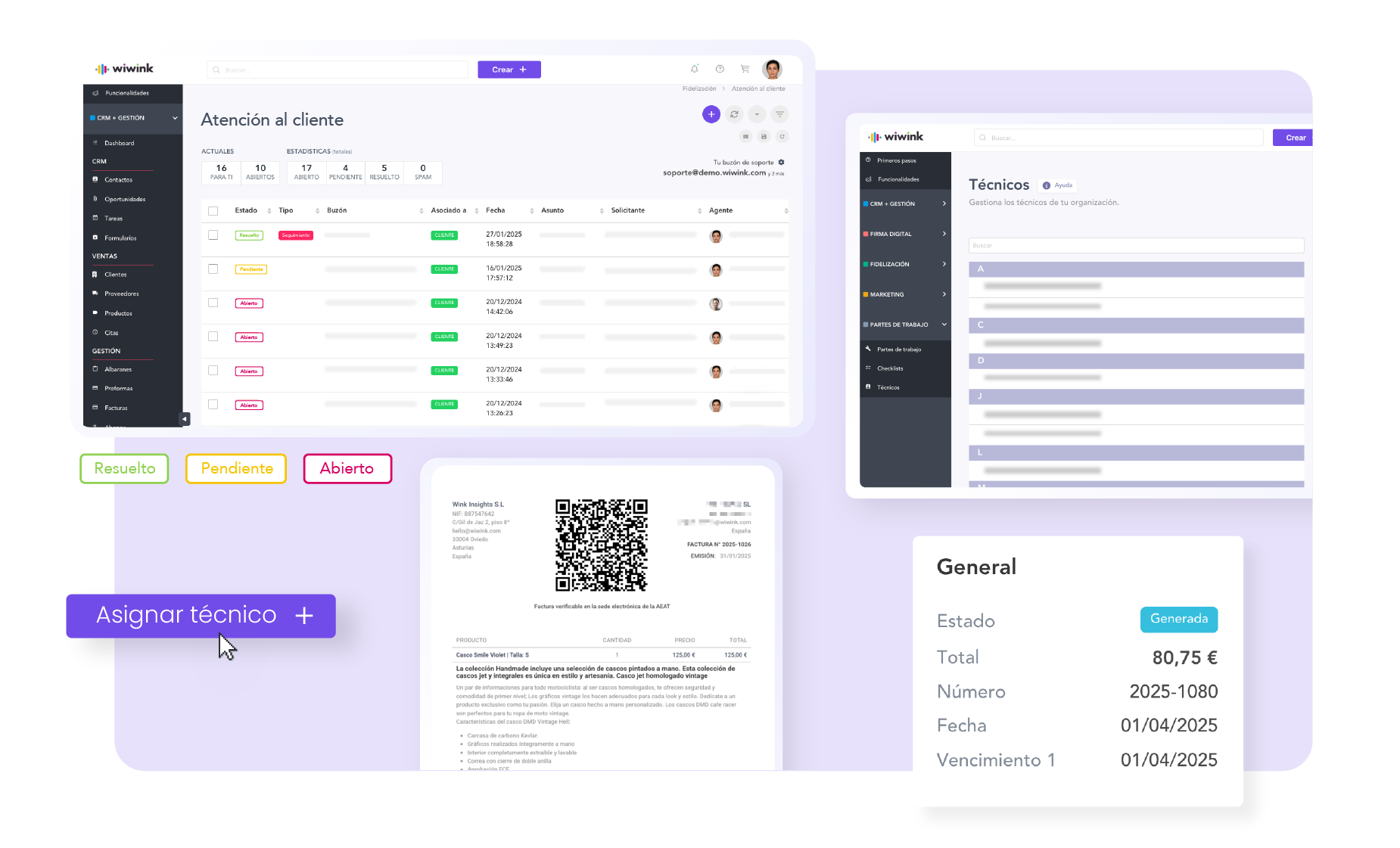
Diseña tus partes con los campos que necesitas, asigna técnicos y vincúlalos a presupuestos o clientes.
Agrega fotos, vídeos, materiales utilizados y todo lo que necesitas para documentar la intervención.
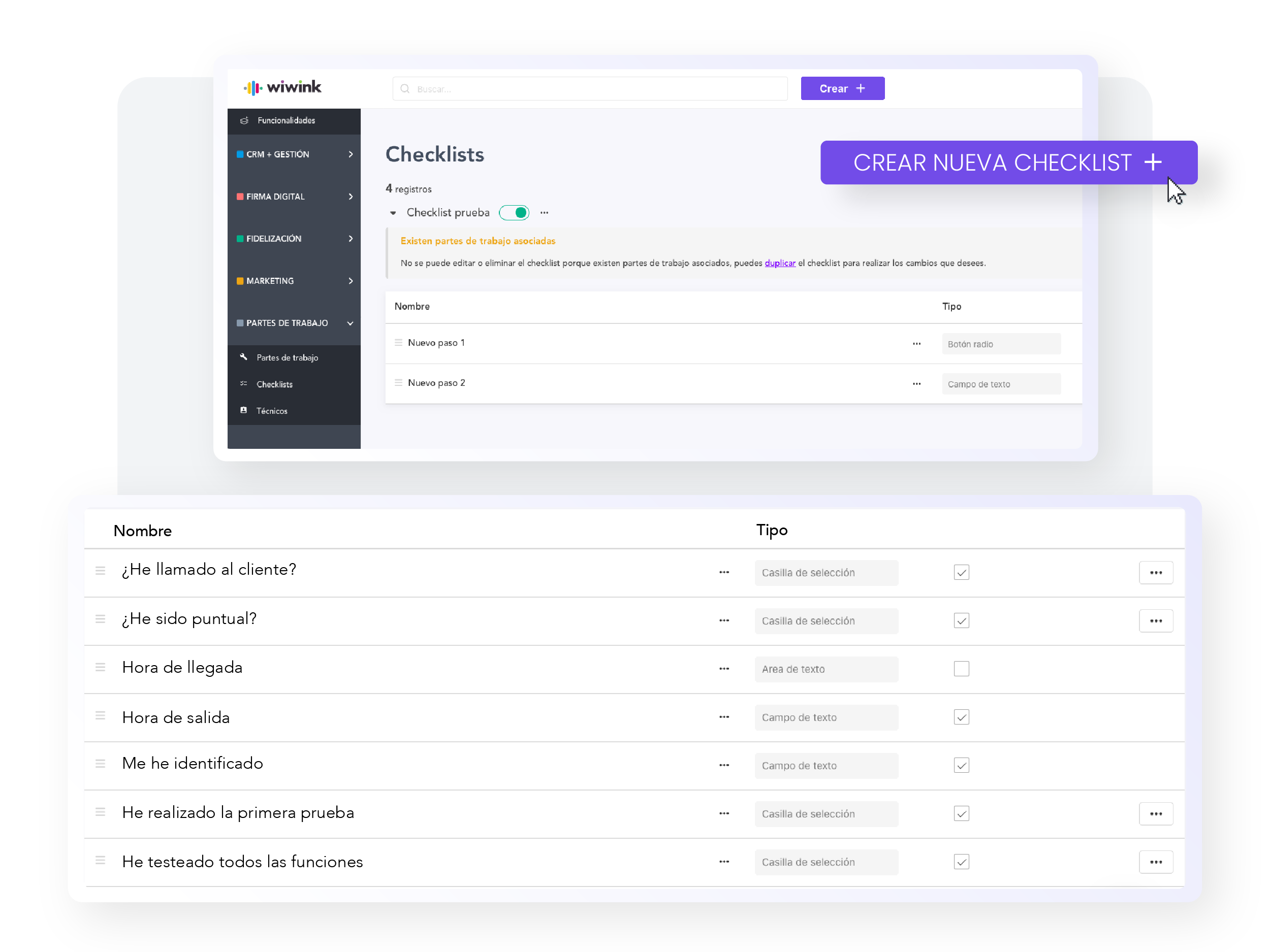
Asegúrate de que se cumpla todo antes de cerrar un parte.
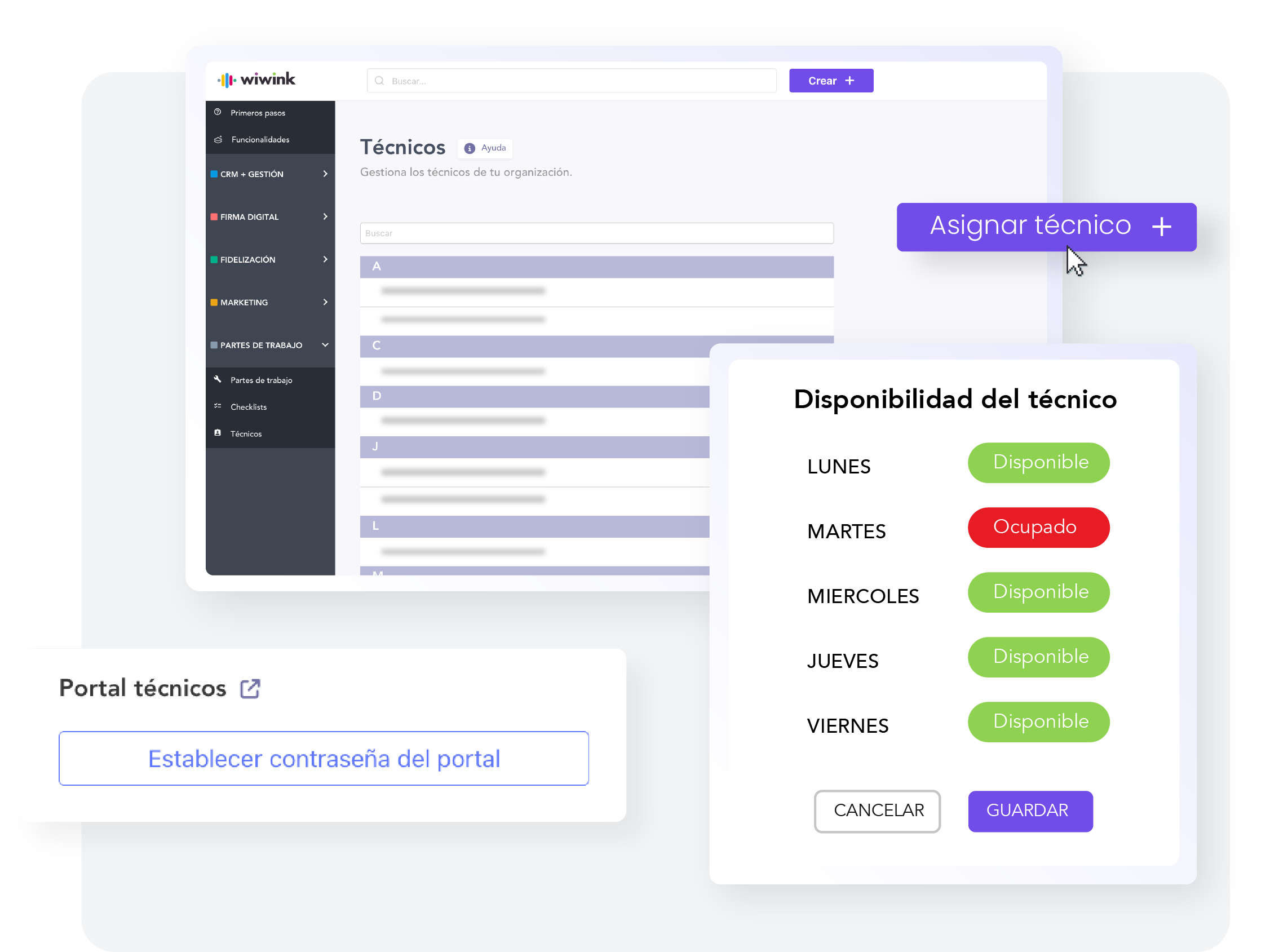
Perfecto para empresas con operarios internos o subcontratas.
Envía partes directamente al portal de técnicos, donde gestionan todo el trabajo desde su dispositivo: checklist, materiales, incidencias, firma del cliente y más.
Aprovecha las sinergias con otros módulos de wiwink
 Stripe
 Zoom
 Google Calendar
 Woocommerce
 Microsoft Teams
 Calendly
 Google Contacts
 PayPal
 Wordpress
 MyBusiness
 Instagram
 Facebook
 Twitter / X
 Linkedin
 Youtube
 Google Ads
 Google Analytics
 Zapier
 Google Meet
Track your sales pipeline, assign tasks, send quotes and sign contracts — all from wiwink's CRM
Learn moreAutomate repetitive tasks, avoid duplicating data and allow clients to pay online in just one click.
Learn moreAccess quotes, invoices, signed documents, subscribed products and more — all from each client's record.
Learn moreSegment your database and send campaigns, surveys or manage support tickets without leaving wiwink.
Learn moreTrack income, expenses, pending payments, top-selling products and team performance in real time.
Learn moreGenerate FacturaE, meet Verifactu requirements, send GDPR-compliant campaigns and sign documents with legal traceability.
Learn more
We'll help you get started: data migration, custom templates, user setup. Talk to an expert
All CRM + Business Management users plus the technicians you register in wiwink. You can register unlimited technicians at no extra cost.
Yes, you can add the details of the installed equipment to the work report. You can also track the installation certificate.
Yes, wiwink lets you manage technicians' visits in a shared calendar to avoid mistakes and double bookings.
Yes, from the technician portal the installer can attach photos and videos to document the progress of the installation or repair.
You can view completed work reports in the work reports list and on the Client record.
Yes, if you have the Loyalty module, you can send surveys after completing a Work report.
Yes, you can share work reports with external technicians via an access link to the technician portal.
Yes, from the work report itself or the client record you can create a new quote and link it to the work report.
Technicians without permission will not be able to access work reports, but the information will remain available to the administrator.
If you have the Loyalty module, you can assign incidents and link them to work reports for complete follow-up.
You can talk to an adviser via:
Live chat
Request a personalised demo
Contact form
If you are a client, you can also access support from the platform.